DATA · INTEGRATIONS · ERP · OPS · 3 FEBRUARY 2026 · 9 MIN READ
The ecommerce stack diagram every team should have on a wall
One page, eight boxes, and an arrow for every fact that moves. Most integration arguments are really a disagreement about a diagram nobody has drawn.
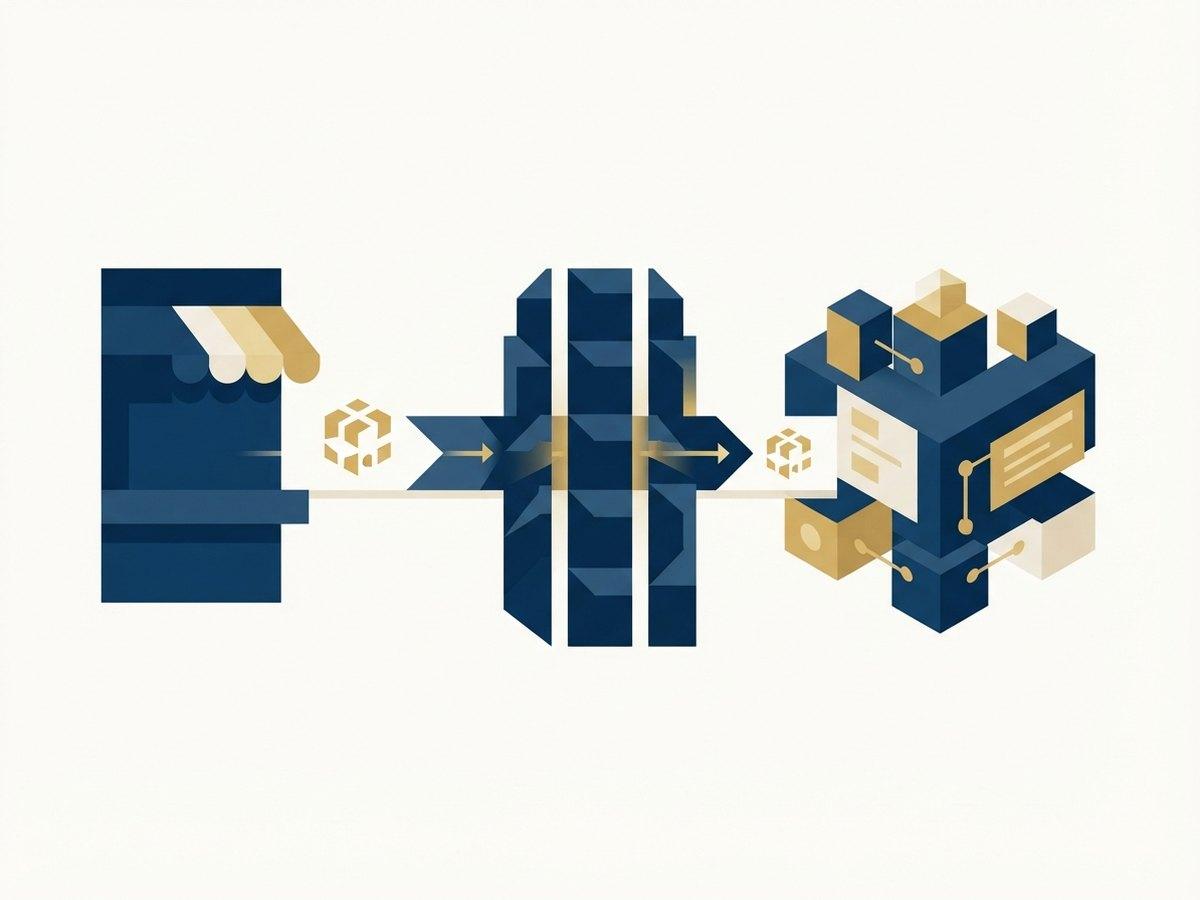
A complete ecommerce stack is eight boxes: the storefront, the commerce platform, a product source of truth, inventory and fulfilment, finance, the customer and marketing layer, analytics, and the integration layer that connects them. What makes the diagram useful is not the boxes — every business has roughly these — but the two labels on each one: which system authors each fact, and which way that fact is allowed to travel. Draw those and most integration disputes resolve themselves, because they were never about software. They were about two teams each believing they owned the same field.
IN SHORT
- A stack diagram is not a list of software. It is a record of which system authors each fact and which direction that fact is allowed to flow.
- Every field needs exactly one authoring system. Two systems that can both change a price will eventually disagree, and the disagreement will surface in a customer’s basket.
- Label every arrow with three things: what triggers it, which way it goes, and how stale the receiving system is allowed to be.
- The integration layer is a box on the diagram whether or not you chose one — if nothing occupies it, the answer is a person with a spreadsheet.
- Most stacks are missing the same four arrows: returns, store credit, tax, and the reconciliation somebody does by hand at month end.
- If the diagram needs more than one page, the stack is either genuinely enterprise or nobody has agreed what the boxes are.
Why a diagram, rather than a list of the apps you pay for
Ask a team for their stack and you usually get a procurement list: Shopify, a NetSuite instance, a 3PL, Klaviyo, a returns app, GA4, something for reviews. That list tells you what the invoices look like. It tells you nothing about the two questions that cause every integration incident.
The first is authorship. When a merchandiser changes a product title in the Shopify admin and the ERP overwrites it forty minutes later, nobody has a bug — they have two systems that both believe they author product titles, and one of them runs on a schedule. The second is direction. When finance reconciles orders that the storefront has since edited, the problem is an arrow drawn in the wrong direction, or drawn in both.
A diagram forces both answers onto a page where a non-technical person can disagree with them. That is its entire value. The version that lives in a repository as a .drawio file nobody opens is worth less than a photograph of a whiteboard, because the one on the wall gets corrected when it is wrong.
The eight boxes
Draw them in this order, because it roughly follows the direction a fact travels: from where it is authored, towards the customer, and back again as money and returns.
1. The storefront. The theme, or a headless front end, plus the search, filtering and personalisation layers that decorate it. This box authors almost nothing. That is the point — a storefront that authors data is a storefront you cannot rebuild without a migration.
2. The commerce platform. Shopify: catalogue, cart, checkout, orders, customers, discounts, markets. It is the centre of the diagram and the only box that can talk to the customer in real time, which is why it needs its own copy of anything a checkout decision depends on.
3. The product source of truth. Sometimes a PIM, often the ERP, occasionally — legitimately — Shopify itself. This is the box teams most often fail to name, and the one that decides whether product launches take a day or a fortnight.
4. Inventory and fulfilment. The ERP, a WMS, a 3PL, retail stock, sometimes all four. The most contested number in any stack lives here, and it is contested because three systems hold a version of it and each is right at a different moment.
5. Finance. The accounting ledger, tax determination, payment settlement and reconciliation. Its needs are the opposite of the storefront’s: completeness and immutability rather than speed.
6. Customer and marketing. The ESP, sometimes a CDP, loyalty, reviews, support and the consent layer. This box is where the customer record fragments, because every tool in it wants to be the profile.
7. Analytics. Warehouse, BI, the platform’s own reporting, and the ad platforms’ conversion data. Read-heavy, authors nothing, and the first box to reveal that two other boxes disagree.
8. The integration layer. Middleware, an iPaaS, a queue, Shopify Flow, bespoke app code, or a person. Something occupies this box in every business. When it is unlabelled, it is a person, and that person is a single point of failure with a holiday allowance.
One author per fact
This is the part that takes an afternoon and saves a year. Take the fields that actually cause arguments and write one system name against each. Not "both", not "it syncs" — one name.
- Product title, description and imagery — usually the PIM or the merchandising team working in Shopify. Rarely the ERP, whose product names exist for warehouse pickers.
- Price and cost — normally the ERP or a pricing system, pushed to Shopify. If marketing needs to run promotions, the promotion mechanism belongs in Shopify and must not be overwritten by the next price sync.
- Inventory quantity — the system that physically knows: WMS, 3PL or ERP. Shopify holds a cached copy, and the interesting question is how stale that copy may be.
- Order — authored by Shopify at checkout and by nothing else thereafter. Downstream systems enrich it; they do not author it.
- Fulfilment status and tracking — the WMS or 3PL, flowing back into Shopify so the customer and support see the same thing.
- Customer identity and consent — pick one system and make every other one a subscriber. This is the single most common unowned field in a mid-market stack.
- Returns and refunds — whichever system the warehouse actually uses. If that is a returns platform, Shopify is downstream of it, and finance is downstream of both.
- Tax treatment — the determination engine, never a spreadsheet of rates in a theme setting.
Then label the arrows, with three things each
An unlabelled arrow between two boxes says "these talk", which is the level of detail that lets two engineers build incompatible things. Every arrow gets a trigger, a direction and a tolerance.
Trigger. Webhook, scheduled job, bulk operation, or manual. These behave differently under stress in ways that matter: an event-driven arrow is near-real-time and must cope with retries and duplicates, a scheduled arrow is predictable and always slightly behind, and a bulk arrow is for volume that would otherwise take hours of individual calls. Write down which one this is, because a store with a sync described as "real-time" that turns out to be a fifteen-minute cron is a store that oversells on a Friday launch.
Direction. One-way, or bidirectional. Bidirectional arrows are where the loops live, and they need a rule about which side wins a conflict, written on the diagram. If nobody can state that rule, the arrow should be one-way until somebody can.
Tolerance. How out of date is the receiving side allowed to be before it matters? Inventory on a product page: minutes. Inventory at checkout: it must be correct, which is why an oversell guard belongs in the platform rather than in the sync. Marketing consent: seconds, because the legal exposure is real. Cost price in the warehouse: a day is fine. Writing the tolerance down converts a vague quality complaint into a testable number.
Three arrows on the diagram deserve a red pen: any bidirectional one, any one whose failure is silent, and any one whose trigger is "a person remembers". Those are your next three tickets, in that order.
The four arrows almost every diagram is missing
We have drawn a lot of these with clients, and the same gaps recur.
Returns and the money going backwards. Forward flow gets designed with care and the reverse gets a returns app and a hope. A return touches inventory, the order, finance, the customer record and often a 3PL, and it is the flow where those five most commonly disagree.
Store credit and gift cards. A liability that lives in the commerce platform and needs to appear in the ledger. Skip this arrow and finance discovers it at year end.
Tax determination versus tax reporting. Two different arrows to two different boxes, frequently drawn as one. Determination happens at checkout, in real time, and must be right. Reporting happens afterwards, in batch, and must be complete.
The manual reconciliation. Somebody in finance or ops exports two reports each month and fixes the difference by hand. That is a real integration, currently implemented in a human, and it belongs on the diagram as a box with their job title in it. Drawing it is usually how it gets funded.
The failure paths belong on the page too
A diagram that only shows the happy path is a diagram that will be redrawn after an incident. Three annotations are enough.
First, what happens when an arrow fails. Event-driven integrations retry, which means the receiving end must tolerate the same message twice — and a message that keeps failing has to end up somewhere a person looks rather than vanishing. If nobody can name where failed messages land, they are landing nowhere.
Second, what happens when a system is down. If the ERP is unavailable for three hours on a Tuesday, can customers still buy? The answer should be yes for almost every mid-market store, and it is only yes if the platform holds its own copy of everything checkout needs. This is the strongest argument for keeping the ERP behind the platform rather than in front of it.
Third, what the keys are. Which identifier joins an order across five systems — the Shopify order name, the order id, or the number the ERP invents? Which one joins a product: SKU, barcode, variant id? Mismatched keys are the quiet cause of most reconciliation work, and the fix is a decision rather than a build.
What the diagram tells you to buy — usually less than you think
Teams often reach for an integration platform before drawing the diagram, which is buying a bridge before surveying the river. Once the page exists, the honest answer is frequently smaller than the shortlist.
If you have four arrows, two of them scheduled, you do not need an iPaaS. You need a small app doing four well-tested jobs, or in several cases a Flow automation and a scheduled export. If you have thirty arrows across nine systems and three of them are bidirectional, middleware earns its licence and the diagram will show you exactly why.
The same logic applies to the product source of truth. A PIM is the right answer for a business with thousands of SKUs, multi-language copy and several sales channels. For a store with six hundred products and one market, Shopify plus metafields and metaobjects is the source of truth, and buying a PIM adds a box, two arrows and a synchronisation problem to solve a governance problem that a written rule would have solved. Adding a system to fix a process is the most expensive mistake on this page.
We scope [Shopify integrations](/services/integrate) from this diagram rather than from a feature list, because the diagram is what tells you whether the job is four arrows or thirty — and that is the difference between a fortnight and a quarter.
Draw it this week
An afternoon, one room, one page. It does not need to be beautiful; it needs to be agreed.
- Put the eight boxes on a page and write the actual product name in each. If a box is empty, say so out loud — an empty integration box means a person.
- For each contested field, write exactly one system name. Argue until there is one.
- Draw every arrow you know about and label it with trigger, direction and tolerance.
- Circle the bidirectional arrows. For each, write the conflict rule or make it one-way.
- Add returns, store credit, tax reporting and the monthly manual reconciliation. They are missing.
- Write a date and an owner’s name on it, print it, and put it on the wall where ops sits. Re-date it whenever an arrow changes.
Questions this raises
What does a complete ecommerce stack look like?
Eight boxes: storefront, commerce platform, product source of truth, inventory and fulfilment, finance, customer and marketing, analytics, and an integration layer connecting them. What makes it a stack rather than a shopping list is that each fact has exactly one authoring system and each arrow between boxes has a trigger, a direction and a staleness tolerance.
Should the ERP or Shopify be the source of truth?
Per field, not per system. The ERP is usually right for cost, price and physical inventory; Shopify is usually right for orders, customer-facing product content, promotions and anything checkout depends on. The rule worth keeping is that no customer-facing decision should require the ERP to be online, because it will not always be.
Do we need middleware or an integration platform?
Count the arrows first. Four or five arrows, mostly one-way, is a small purpose-built app or a scheduled job — middleware would be a licence fee plus a second thing to maintain. Thirty arrows across nine systems with several bidirectional flows is where an integration platform genuinely pays, because you are buying retries, monitoring and a place for failures to land.
How often should the diagram be updated?
Whenever an arrow changes, which in practice means at the end of any integration project. Put a date and an owner on it. A diagram that is eighteen months old is more dangerous than no diagram, because people trust it during an incident.
What is the most common gap in these diagrams?
Ownership of the customer record and consent. Every tool in the marketing box wants to be the profile, so nobody is, and the practical result is inconsistent suppression lists and a GDPR answer that takes three people to assemble. Name one system as the identity owner and make the rest subscribers.
Is one page realistic for a business with a lot of systems?
Yes for the map, no for the detail. One page shows boxes, authorship and arrows; each arrow can have its own note covering fields, keys, retry behaviour and failure handling. If the map itself needs two pages, the usual cause is boxes drawn at different levels of detail — one system per box, then split the detail out.
NEXT STEP
Free store audit
A senior Shopify engineer reviews your storefront, theme performance and checkout, then sends a prioritised list of fixes.